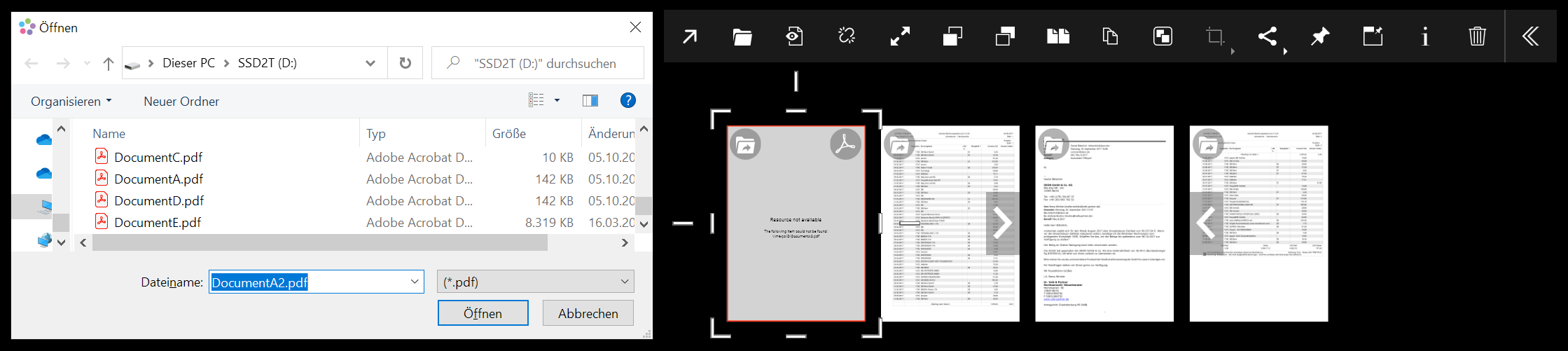
If a single file has changed
Click on the 'Update Network Path' button in the file context menu  . DEON opens a file explorer and allows you to navigate to the correct file.
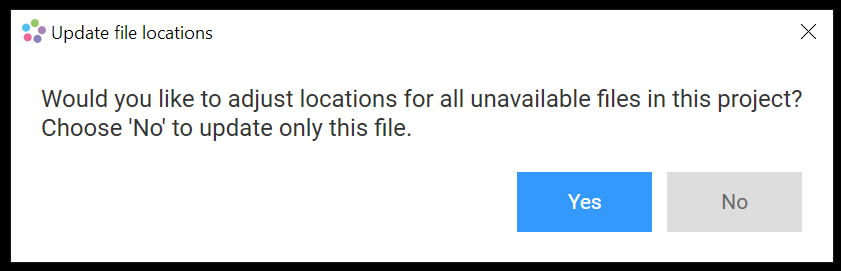
If multiple files have changed
Click on the 'Update Network Path' button in the file context menu . If multiple files in your projects have lost their link, DEON offers you the option to update multiple paths simultaneously:
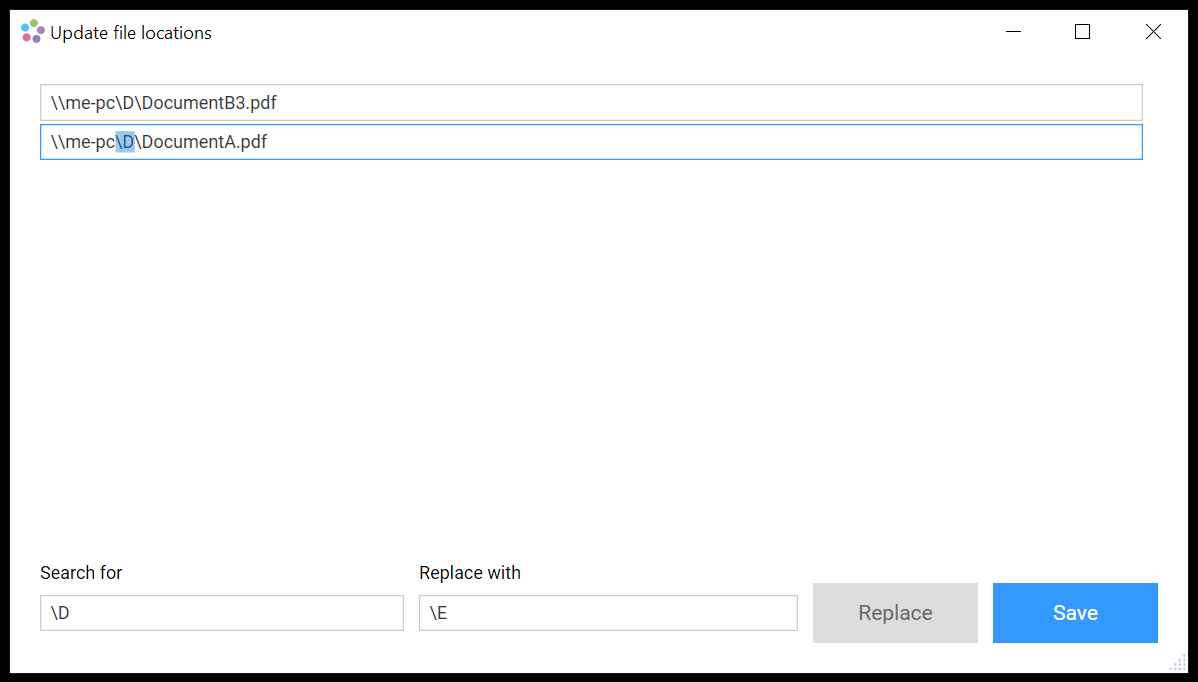
If you click 'Yes', a dialog allows you to edit the paths for each file individually or search and replace strings in the path. This enables you to quickly update a changed path for many files at once: